Hi Everyone. I just checked Kamyk’s go fund me. Thanks to all of you he reached what he told me was the original goal of $1,000. The fund was a huge success thanks to all of you. Everyone who could afford to give was grand for doing so, but it was not just the money. I love you all for the support you give me and you have shown for Kamyk. I am sure Kamyk wouldn’t mind if people still have a few dollars they want to give, he is going to be in that nursing home a long time. But he told me he needed $1,000 for the device, a secure pack for it, and a couple of games. You all made it possible for him. Thank you again. Hugs


More In Black History
LaMonte McLemore and Other Black Stars We Lost in 2026
We are honoring all of the Black stars who left us in 2026.
By The Root Staff Published February 5, 2026

UNITED STATES – CIRCA 1969: Photo of Fifth Dimension, c.1969, California, Los Angeles, Fifth DimensionL-R: Ron Townson, Florence LaRueBilly Davis, Jr., Lamonte McLemore, Marilyn McCoo. (Photo by Michael Ochs Archives/Getty Images)
We’re not going to lie, 2025 was a tough year, as we lost many of the Black legends we knew and loved. Now, as 2026 gets underway, we must say goodbye to even more of those who had such a tremendous impact on the culture. Although they are gone, they will never be forgotten.
(snip-brief celebratory obits/photos on the page. A few of them have been posted here, lat year. While you peruse our losses, enjoy this next one from The Root, too! I would listen to Luther Vandross sing the phone book.)
The Essential Luther Vandross Playlist of His Best Songs
The late Luther Vandross is still a trending topic thanks to the 2026 Grammys. So what better time than now to take a look at some of his best songs!
By Shanelle Genai Published February 3, 2026

LOS ANGELES – 1995: Singer Luther Vandross poses for a portrait in 1995 in Los Angeles, California. (Photo by Harry Langdon/Getty Images)
Although Kendrick Lamar and SZA walked away with the 2026 Grammy for Record of the Year for their song “luther”—which sampled the 1982 Luther Vandross hit “If This World Were Mine”—the late iconic singer still somehow became one of the hottest topics of the night.
This was thanks in large part to Cher’s hilarious and accidental flub, announcing Vandross as the winner instead Lamar. But still it made for a good reason to talk about the legendary singer and his musical contributions. It also got us thinking about our favorite Luther Vandross songs and so we’d figure what better way to wax poetic about them than by putting together our top favorite tracks of his for the best of the best playlist!
Fair warning though: this list will make you move and groove so make room wherever you are!
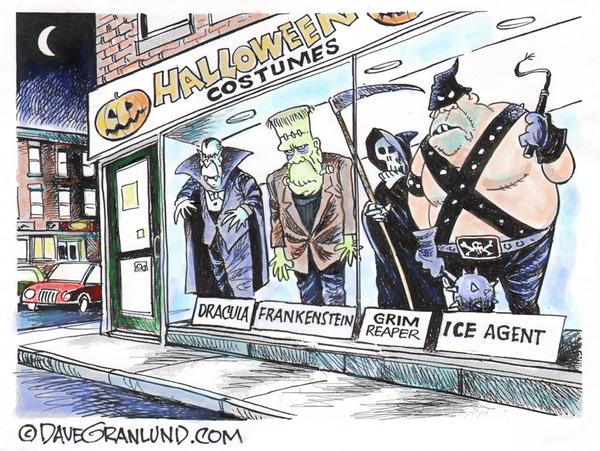
People Are Fed Up With ICE’s Crimes
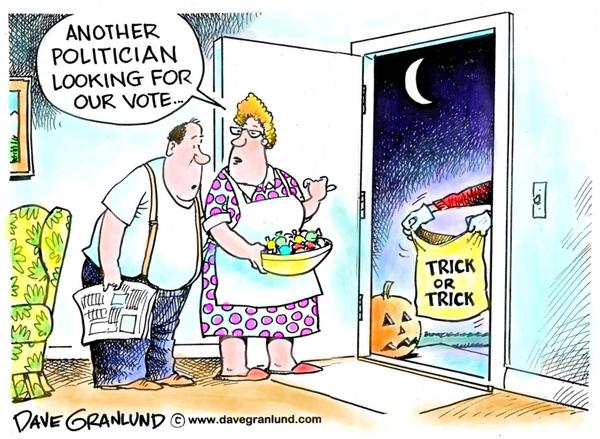
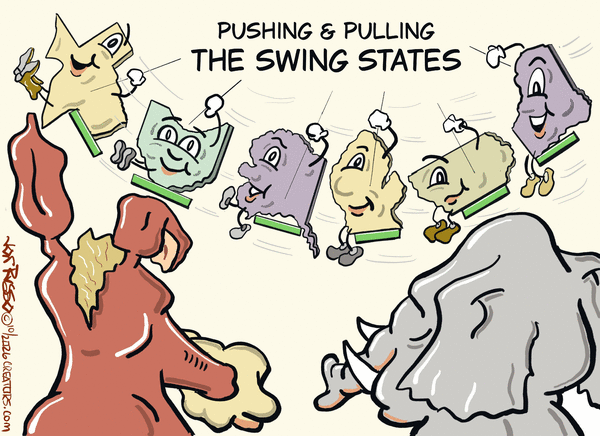
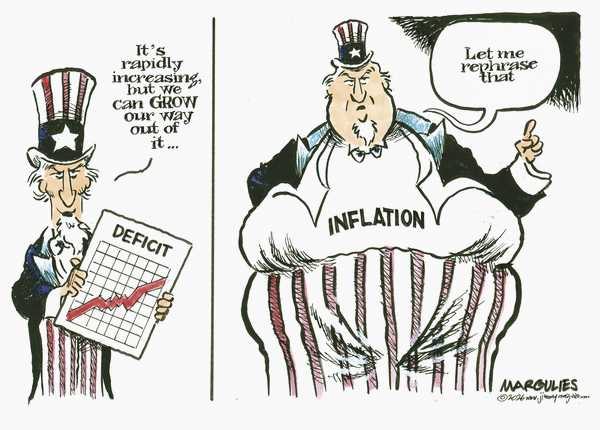
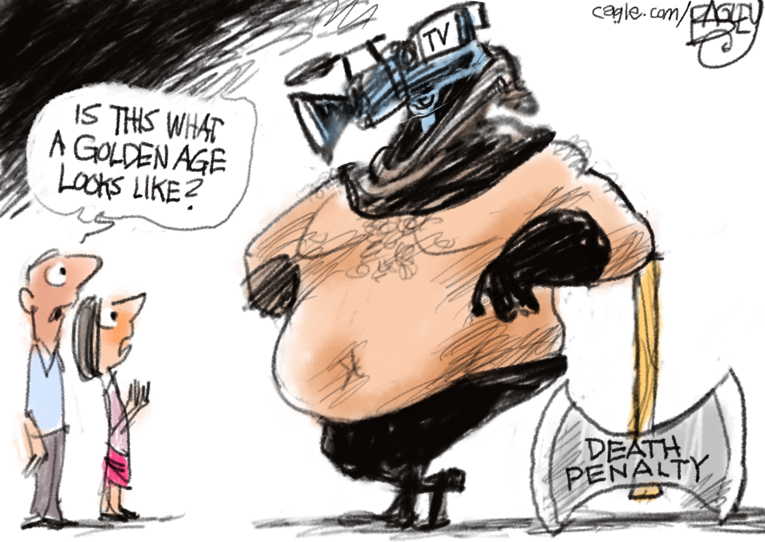
Political Cartoons / memes / and news I want to share. 2-5-2026

The above is my life. Am sorry if this brings you down but these are what I struggle with every day 24 hours a day. I really want to thank the wonderful people / community support I have gotten. You are the most wonderful to understand how hard it can be for me some days. Hugs


Education and Healthcare lowest ranked on the states report card Alabama ranks in the bottom 10 for education, with higher education at 42nd and Pre-K through 12th grade at 43rd. California ranks 37th in Pre-K-12 education according to recent reports, with challenges in areas like high school graduation rates and college readiness.


The Steele Dossier connected Russia with Trump. Over and over again.
Marco Rubio paid for the research.
Then Republicans lied about who paid for the research and tried to pin the dossier on Democrats.
Then dossier was tainted and degraded as partisan.
What did we learn? Republicans are Russia,and Republicans will lie about anything.


“Let’s stick with gray scale for our midwinter just-as-they-head-home-from-work palette.”


Baby, It’s Cold Outside
Good Evening, Everyone!! It was 15 degrees on this unknown-numbered day of the apocalypse. I salted, chipped ice, shoveled while I shivered, my shoulders ached, my lips chapped… I’m so looking forward to the greens of spring!


In all honesty, though, I’m a Michigan kid. I had some of my favorite days on winter sleds, building show forts in plowed snow piles, snowball fights (and yes, I did save one in the freezer just to throw it at my sister in June :D) and snowmobiles. I can ice-fish without a shanty, cross-country ski and drink peppermint schnapps with the best of them. So, this year’s winter has been a measure of beautiful nights of softly falling snow while I sat by the window with a hot cup of coffee – you know, in the midst of the shoveling and salting and freezing and stuff. I remember it more fondly as a kid?

May you find your moments of zen in the harshness that life brings. Stay Warm!
randy
So Get A Load Of This, And
check to make sure your state isn’t trying to do the same thing. It’s insulting that ours would think we don’t know better, but this rings like some sort of ALEC type of a thing; those generally go national, or at least all red states. Anyway:
HCR5027: Proposing to amend article 1 of the constitution of the state of Kansas by adding a new section establishing a system of electing the governor and the lieutenant governor by creating a state electoral college whereby each state senatorial district would have a vote in selection of the governor and the lieutenant governor.
Current Status: In Committee (House)
=============================
And from my State oversight newsletter:
| Top Stories of the Day |
| The House Elections Committee wants to elect Governor with an Electoral College |
| Most days, I rely on BillBee and other monitoring tools to flag the most important activities of the prior day and use those to substantially prepare this newsletter. Yesterday’s action, though, goes beyond anything we’ve tracked in two years of covering Kansas politics. |
| HCR 5027 proposes replacing the direct election of Kansas Governor and Lieutenant Governor with an electoral college. Under this system, voters in each of the 40 state senate districts would effectively be choosing an elector…not a governor. Those 40 electors would then cast the actual votes for our state’s top executive office. |
| If that sounds familiar, it’s modeled on how we elect the President. But with one critical difference: each senate district’s elector would carry equal weight, regardless of population. (It’s also unconstitutional.) |
| Why That Matters |
| Kansas senate districts vary significantly in population density. Rural western Kansas districts and suburban Johnson County districts each get one elector under this proposal, despite representing vastly different numbers of voters. This is intentional. |
| The proposal also includes a failsafe for the majority party: if no candidate pair wins 21 electoral votes, the Legislature elects the governor in a joint session, with each legislator casting one vote. Given the current supermajority dynamics in Topeka, this framework would likely cement one-party control of the governor’s mansion for a generation—regardless of statewide popular vote totals. |
| The Fine Print |
| You won’t find much about HCR 5027 on the Legislature’s website yet. At the time of this writing, the draft language appears only on page 1,709 of the House daily journal. Here’s the full text: |
| Be it resolved by the Legislature of the State of Kansas, two-thirds of the members elected (or appointed) and qualified to the House of Representatives and two-thirds of the members elected (or appointed) and qualified to the Senate concurring therein: Section 1. The following proposition to amend the constitution of the state of Kansas shall be submitted to the qualified electors of the state for their approval or rejection: Article 1 of the constitution of the state of Kansas is hereby amended by adding a new section to read as follows:” § 17. Electoral college for governor and lieutenant governor.(a) The governor and the lieutenant governor shall be elected by an electoral college consisting of one elector from each state senate district, for a total of 40 electors.(b) In each state senate district, the candidate pair for governor and lieutenant governor receiving the highest number of votes shall receive such district’s elector, who shall be pledged to vote for governor and lieutenant governor.(c) The candidate pair receiving a majority of the electoral votes which shall be at least 21 votes shall be elected governor and lieutenant governor. If none of the pairs receives a majority, the legislature shall elect the governor and lieutenant governor in a joint session from among the two pairs receiving the highest number of electoral votes. Each member of the legislature having one vote and a majority shall be required to elect the governor and lieutenant governor.(d) Electors shall be qualified voters of Kansas, residents of their respective senate districts and nominated in advance by political parties or independent candidate pairs in accordance with law. Electors shall meet and cast votes as prescribed by law. Any elector voting contrary to their pledge shall be subject to penalties as provided by law.(e) The legislature shall enact laws to implement this section, including procedures for certification, meetings of electors, handling of ties or vacancies and enforcement.” Kansas House Committee on Elections |
| Constitutional Questions |
| As a constitutional amendment, HCR 5027 would need two-thirds approval from both chambers before appearing on a statewide ballot. Voters would then decide. |
| But even if passed through that process, the proposal may face legal challenges. Article 5 of the U.S. Constitution guarantees states a “Republican Form of Government”—language the Supreme Court has historically avoided interpreting, but which scholars argue requires some baseline of representative democracy. Whether an electoral college that can override the popular vote meets that standard is an open question. |
| There’s also the matter of the Kansas Constitution’s own Bill of Rights, Section 1: “All men are possessed of equal and inalienable natural rights, among which are life, liberty, and the pursuit of happiness.” Courts have historically read such provisions as foundational to equal voting power. |
| Part of a Pattern |
| HCR 5027 doesn’t exist in isolation. This session has seen an unprecedented wave of election-related legislation, much of it now law: |
| Already signed: |
| SB 4: Advance ballots must arrive by 7 p.m. Election Day (no more postmark grace period) SB 5: Blocks federal election funds without legislative approval HB 2020: Requires DMV to send quarterly lists of noncitizen license holders to election officials HB 2106: Bans out-of-state contributions to Kansas constitutional amendment campaigns SB 105: Governor must pick replacements for U.S. Senate, state treasurer, and insurance commissioner from a three-name list approved by a new legislative committee |
| Moving through the House: |
| HB 2438: Limits online voter registration to .gov websitesHB 2452: Move local elections to even-numbered yearsHB 2525: Bans remote drop boxes for advance ballots |
| And that’s before counting the 23 other bills referred to the House Elections Committee this year alone. |
| What Happens Next |
| HCR 5027 is currently in the House Elections Committee. As a constitutional amendment, it faces a higher procedural bar than ordinary legislation, but in a supermajority environment that bar is not insurmountable. |
| We’ll be watching. |
Resistance Is Everywhere
Berkeley Students Make 300,000 Wikipedia Edits to Preserve Queer History Against Trump
Their work has already racked up nearly 100 million views.
By Abby Monteil January 27, 2026
Amid the Trump administration’s ongoing attempts to erase queer and trans history, a University of California Berkeley professor’s students are working to right these wrongs — through Wikipedia edits.
Over the past decade, students in ethnic studies, gender and women’s studies, and performance studies professor María Rodríguez’s courses have edited and even created Wikipedia articles about LGBTQ+ history, with an emphasis on queer and trans people of color. The assignment currently replaces a final paper in three of her classes: “Documenting Marginal Lives,” “Queer of Color Cultural Production,” and “Queer of Color Critique.”
Rodríguez’s Wikipedia assignments take place in partnership with Wiki Education, a nonprofit that works with university professors in the United States and Canada. The professors’ students add content to course-related Wikipedia articles, which, according to the organization’s website, helps them gain skills like “media literacy, writing and research development, and critical thinking,” while simultaneously filling Wikipedia “content gaps.”
“Wikipedia is a public-facing project — it’s the largest encyclopedia in the world,” Rodríguez told UC Berkeley News in a December interview. “In a political moment where these histories are actively being erased from public view, having students work on a platform like Wikipedia becomes even more important.”
According to The Daily Californian, as of January 26, Rodríguez’s students have contributed over 300,000 edits and 3,000 citations to Wikipedia. At the time of writing, their work has garnered a whopping 96 million-plus views. Her students’ topics run the gamut, touching upon local history like the resonance of queer life in San Francisco’s Chinatown, as well as more international focus areas (for instance: worldwide sex worker movements).
As Rodríguez explained to UC Berkeley News, her students’ edits often help address the disparities between the amount of Wikipedia information about white, Anglo LGBTQ+ populations versus LGBTQ+ populations of color.
“It becomes particularly important to document these subcultures within these communities,” she said. “Because it’s not just queer Latinas — it’s queer goth Latinas, it’s queer comics of color, it’s African American slaying, right? It’s very specific topics that might really vary by region, by historical moment, and of course at different places around the world. Those topics, in Wikipedia and in real life, remain really under-studied and really under-researched.”
These contributions carry a newfound weight during the second Trump administration, in which officials have repeatedly attempted to erase references to queer and trans history. In February 2025, National Park Service websites removed the word “transgender” from multiple pages for historical programs and monuments, as well as references to trans figures such as Marsha P. Johnson. Meanwhile, in June, an unnamed Defense Department official told Military.com that Trump timed an order to remove LGBTQ+ icon Harvey Milk’s name from a military ship to coincide with Pride Month.
“Right now, the Trump administration is trying to erase the very existence of transgender people, so having information about those histories, as well as present challenges facing queer and trans communities, is particularly urgent,” Rodríguez told The Daily Californian via email. “Queer and trans people have always been here, and adding that information to the world’s largest open access encyclopedia is one way to make sure that these stories remain available.”
https://www.them.us/story/berkeley-college-students-wikipedia-lgbtq-history-edits
TV Alert For Black History
Start TV to premiere award-winning documentary, ”Who in the Hell is Regina Jones?” in February
By: Start TV Staff Posted: January 14, 2026, 1:17PM

Start TV is set to premiere the award-winning documentary, Who in the Hell is Regina Jones?, on Monday, February 16 at 8P | 7C with a special encore immediately after at 10P | 9C.
The stellar production from Weigel Productions Corp. shines a light on legendary journalist Regina Jones. The documentary, which won the Outstanding Documentary Feature Award at the Greater Cleveland Urban Film Festival, turns a lens on Jones’ historical journey – the invisible labor, turmoil, struggle, and joy of a modern-day Black woman, who emerged as publisher and founder of the groundbreaking SOUL newspaper. On this nationwide platform, Black artists could get coverage long before other publications entered the arena.
Pregnant and married at 15, Regina Jones experienced the Watts Rebellion of 1965, raised five children, stepped into places where she was not wanted, and navigated a world that offered her no favors. SOUL was the first publication devoted specifically to Black musicians and perspectives in music, published from 1966 to 1982. During its run, the publication profiled some of the era’s most prominent Black artists, including Aretha Franklin, James Brown, Diana Ross, Gladys Knight, and Stevie Wonder.
Who in the Hell is Regina Jones? was produced by Weigel Productions Corp and directed by Soraya Sélène and Billy Miossi, edited by Nancy Novack A.C.E., co-edited by Alisa Selman, produced by Alissa Shapiro, and executive produced by Academy Award nominee Sam Pollard.
Having A Hard Day?
HUFFPOST: The ICE Handbook Tells A Damning Story About The Death of Renee Good
The ICE Handbook Tells A Damning Story About The Death of Renee Good
Training material, which HuffPost obtained, shows the multiple ways agents didn’t follow agency rules.
Read in HuffPost: https://apple.news/AeEqBH-GsRjO81krdQ9EiSg
Shared from Apple News
Best Wishes and Hugs,Scottie
A Closer Look At USDOJ Court Order Defiance
plus more.
The Trump DOJ Has Utterly Collapsed and It Ain’t Pretty
INSIDE: Patrick J. Schiltz … Stephen Miller … Mark Kelly
David Kurtz Feb 04, 2026
The Destruction: DOJ Edition
One of the intended consequences of President Trump’s politicization of the Justice Department is to leave behind a weakened, overwhelmed, decimated organization that simply can’t do its job.
They’re hollowing out the DOJ by purging nonpartisan career attorneys, making life intolerable for those who remain, and replacing them with loyalists sucks the capacity out of the organization. It can’t handle as many cases, isn’t capable of tackling ambitious ones, and the quality of the lawyering suffers in all cases.
This is all coming home to roost in a very visible way in Minnesota, where the lawless Operation Metro Surge has produced hundreds of habeas cases filed by wrongfully detained immigrants. The chief federal judge in Minnesota, speaking for an overwhelmed judiciary, has already publicly castigated the Trump administration for not preparing for the flood of cases that its mass deportation operation in the state was bound to generate. (Chris Geidner explains the ins and outs of why we’re seeing so many cases.)
Meanwhile, the Minnesota U.S. Attorney’s Office has been crippled by mass resignations, including some of its most senior career attorneys. That has left the remaining DOJ attorneys in Minnesota inundated with more cases than they can keep up with. But I’m not sure that does justice to what’s been happening. It’s quite a bit worse than that.
The quality of lawyering has eroded to such a point that government lawyers have been unable to keep up with the court orders demanding that detainees be released. As a result, detainees have lingered in confinement even after courts have ordered their release.
Last week, as the Star Tribune first reported, Ana Voss, a career DOJer who was the chief of the civil division in the Minnesota U.S. Attorney’s Office, submitted an astonishing court filing in which she admitted that her office had not followed a judicial order to release a detainee because they hadn’t seen the email.
“I did not timely read these orders,” Voss reportedly said in the court filing. “I understand that is inexcusable.”
But it doesn’t appear to be a case of incompetence or willful disregard. As Voss explained in the filing: “It has become apparent to me that I am not able to effectively triage and review every order which is not an acceptable practice for me or the United States.”
Voss is reported to have subsequently resigned.
Numerous reports have suggested that mass resignations in the Minnesota U.S. Attorney’s Office are not due solely to the failure to investigate the fatal shootings of Renée Good and Alex Pretti. My suspicion is that the hell-on-wheels inundation of immigration cases is another contributing factor.
More evidence of that emerged yesterday, when Julie Le, an attorney for the government, essentially melted down in court, as FOX9’s Paul Blume reported :
“I wish you would just hold me in contempt of court so I can get 24 hours of sleep,” Le said. “The system sucks, this job sucks, I am trying with every breath I have to get you what I need.”
As Joyce Vance notes, Le is not a regular assistant U.S. attorney but a “special” AUSA. She is reported to have been working as a DHS attorney before being detailed to the Minnesota U.S. Attorney’s Office to help with the flood of immigration cases. Le had been assigned over more than 88 cases since December.
It’s easy to see this as attorneys getting what they deserve for participating in a corrupted system, but remember it’s the detainees who are languishing despite courts ordering their release. I’ve seen defiant DOJ political appointees in court telling judges to shove it. Le does not appear to be one of those kinds of attorneys:
“I am here to make sure the agency understands how important it is to comply with court orders,” said Le, who became visibly emotional during the court hearing.
Le was removed from the U.S. Attorney’s Office after her courtroom remarks, NBC News reports.
When chief Judge Patrick J. Schiltz said last week that the Trump administration had violated 96 court orders in 78 cases since Jan. 1 in Minnesota alone, I first thought this was another Trump administration gambit to defy the judicial branch. And it may be, but it’s not as direct as the confrontations in the Alien Enemies Act and Abrego Garcia cases.
As Princeton’s Deborah Pearlstein notes:
It seems increasingly clear the rampant noncompliance with court habeas orders happening in immigration cases now is not a problem of attorney ethics. It’s a symptom of structural, institutional collapse at the Department of Justice.
The Trump administration is tearing down U.S. Attorney’s offices and undermining Main Justice so that there simply aren’t the resources to even respond to the judicial branch. A burn it all down ethos. Catch me if you can.
Keep an Eye on This One …
U.S. District Judge Paul Magnuson of Minneapolis ordered the pretrial release of two immigrants accused of assaulting an ICE agent who shot one of the men in an incident last month. But the men did not make it out of the courthouse before they were re-detained, by ICE, the Star Tribune reports.
Attorneys for Alfredo Aljorna and Julio Sosa-Celis were quickly back in court, filing a habeas petition seeking their release from ICE custody. Last night, chief Judge Patrick J. Schiltz ordered the Trump administration not to remove the men from Minnesota and, if they already had, then to return them to Minnesota immediately.
Not to get overlooked: At the pretrial hearing, the mens’ attorneys introduced into evidence photos of the shooting scene that suggest the ICE agent shot through a closed door and undermine the government’s account what happened.
Quote of the Day
“In the last few weeks, our family took some consolation thinking that perhaps Nee’s death would bring about change in our country. And it has not.”—Luke Ganger, brother of Renee Good
Judge Protects Anti-ICE Protesters
U.S. District Judge Michael Simon issued a temporary restraining order barring federal agents from using tear gas and other crowd-control weapons against peaceful protesters and journalists outside an ICE facility in Portland, Oregon.
In his order, Simon was harshly critical of the Trump administration:
- “the repeated shooting and teargassing of nonviolent protesters at the Portland ICE Building will likely keep recurring … Defendants’ violence is in no way isolated.”
- “statements made by DHS officials and senior federal executives show that the culture of the agency and its employees is to celebrate violent responses over fair and diplomatic ones.”
- “Rather than reprimanding DHS violence against protesters, senior officials have publicly condoned it.”
- “There are clear instances of excessive force, including a use of force incident recorded by ICE’s own cameras and deemed “inappropriate” and “not reasonable” by a Federal Protective Service (“FPS”) Deputy Regional Director. Yet, the agents involved were not put on leave and do not appear to have been held accountable in any way.”
(snip-Stephen Miller and more)