
Step 1. Click the + symbol of the block editor
Step 2. Type CL in the search box for widgets displaying the classic one.
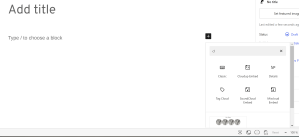
Step 3. Click the classic.

Step 4. Click the gray bar.

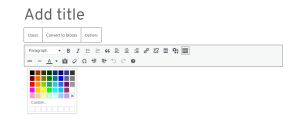
Step 5. Using some of the features. If you want to change the color or font size or bold, italicize, and more, use the bar. If you want to change the color or what you wrote just highlight the words and pick a new color. The classic editor bar makes it so easy. So as most know I like to write my own stuff in blue. Just click the large A with the line under it and chose the color you want to write in. Then type.


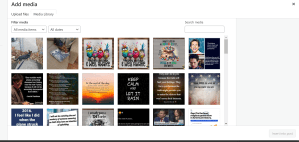
Step 6. To add pictures you can copy and paste or you can use the camera / music note symbol. Notice the things you can do in the media library. This is the place every picture, meme, cartoon is stored. From every post. You can click on one or more and insert them. You can upload from your computer or a website.

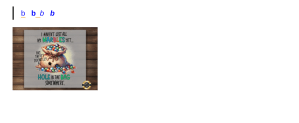
You can double click the picture if you want to adjust the size or if you want writing to one side or the other of the picture. I find it so easy to add stuff like this. There is only one issue to remember. If you want to post a link you must get out the classic editor first or it will wipe out everything you have done. If that does happen just use the undo button to restore what you wrote in classic. You might have to do it twice but it does work. So if you are writing in classic and need to post a link like a YouTube video just click below the current box to get a new block, post the link, click below that and get a new block, do the steps above to go back to classic. I wrote this entire thing in classic and it is so easy including adjusting the screen captures I did. I hope this makes blogging easier for you. If you have any questions please ask me. Hugs.
 Scottie's Playtime